Multichannel, multi-window video processor

All clinical images, one integrated view.

FALKONNECT 3D brings together up to four HDMI video sources — cameras, microscopes and PCs displaying CBCT images, intraoral scans and clinical software — in configurable windows on monitors or in the FALKO 3D headset. Control up to four computers using a single mouse and keyboard.

HDMI 2.0 inputs
0
HDMI 2.0 outputs
0
up to 60 Hz
0 K
with one mouse
0 PCs

How it works

FOUR SOURCES, THREE OUTPUTS. ONE PROCESSOR.

Clinical images come from different devices. FALKONNECT 3D brings them together, arranges them and routes them through three HDMI outputs, without reconnecting equipment whenever the display layout changes.

Cameras, microscopes, PCs with CBCT images, scans and clinical software

HDMI source 1
HDMI source 2
HDMI source 3
HDMI source 4
FALKONNECT 3DDedicated video processor · multi-window · up to 4K at 60 Hz
HDMI output 1Multiview on monitorUp to four input sources, configurable layouts.
HDMI output 2Multiview on monitorUp to four input sources, configurable layouts.
HDMI output 3Single source on monitorOne of the four input sources.
01

Sources stay connected

Four HDMI 2.0 inputs receive video signals from cameras, microscopes and PCs used for radiology, intraoral scanning or surgical planning.

02

The processor builds the layout

FALKONNECT 3D selects and combines images in customisable layouts, supporting video resolutions up to 4K at 60 Hz. No software needs to be installed on the processor.

03

The outputs route the images

HDMI outputs 1 and 2 display up to four sources simultaneously, in different multi-window layouts or mirrored layouts through the Dual Monitor function. HDMI output 3 shows a single source selected from the connected inputs.

Product video

MULTIVIEW IN ACTION

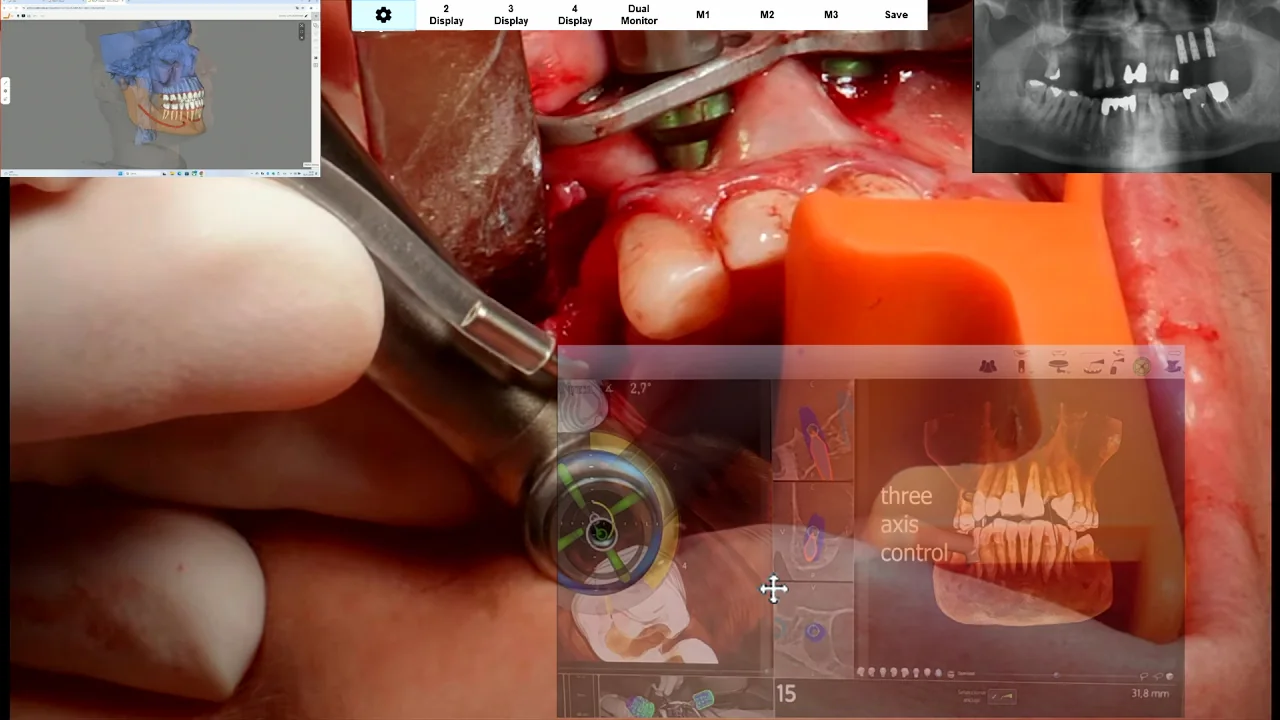
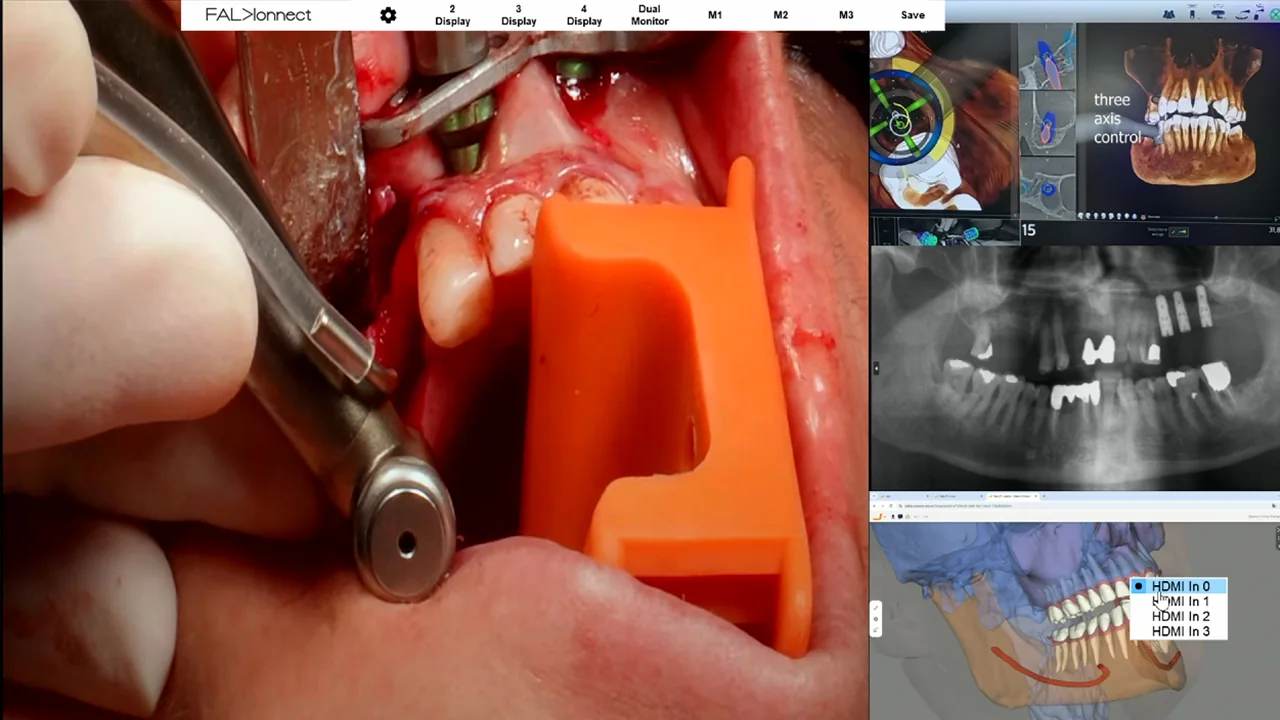
From live video of the operative field to radiographic images, CBCT reconstructions and intraoral scans: see how FALKONNECT 3D brings different video sources together on one monitor and lets you move, resize and overlap windows using the mouse.

Multiview

A LAYOUT THAT ADAPTS TO THE PROCEDURE

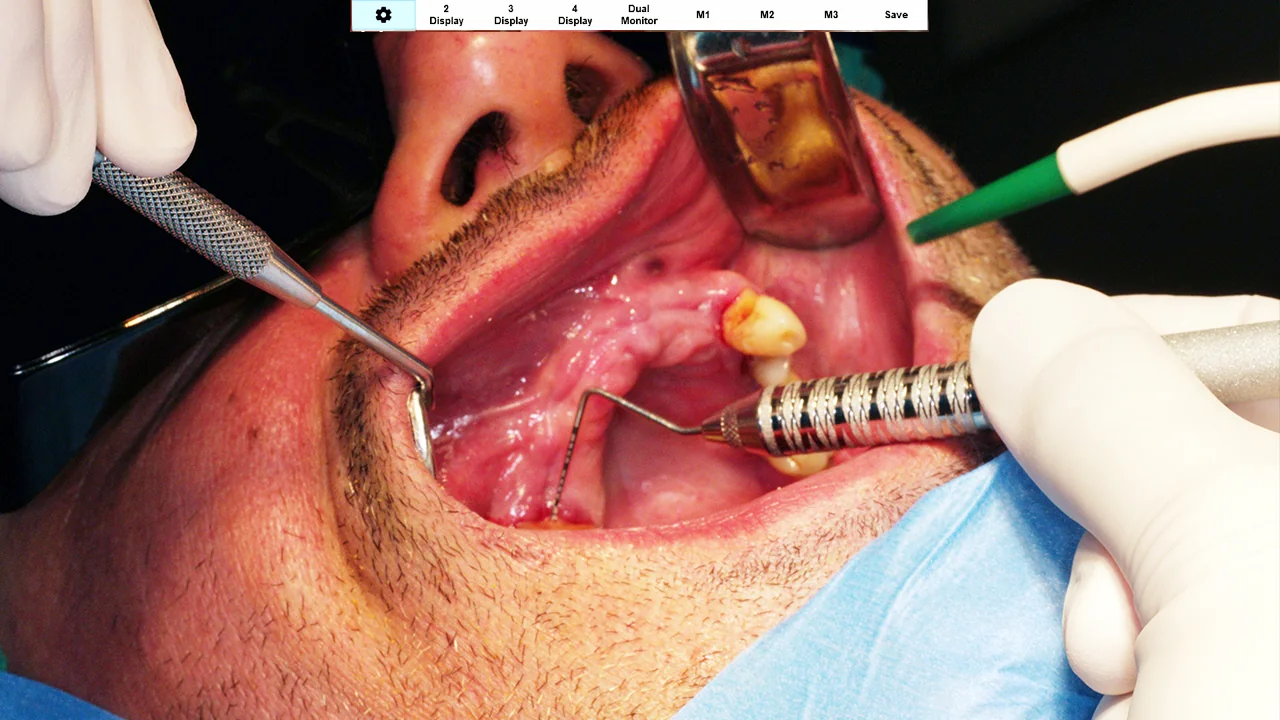
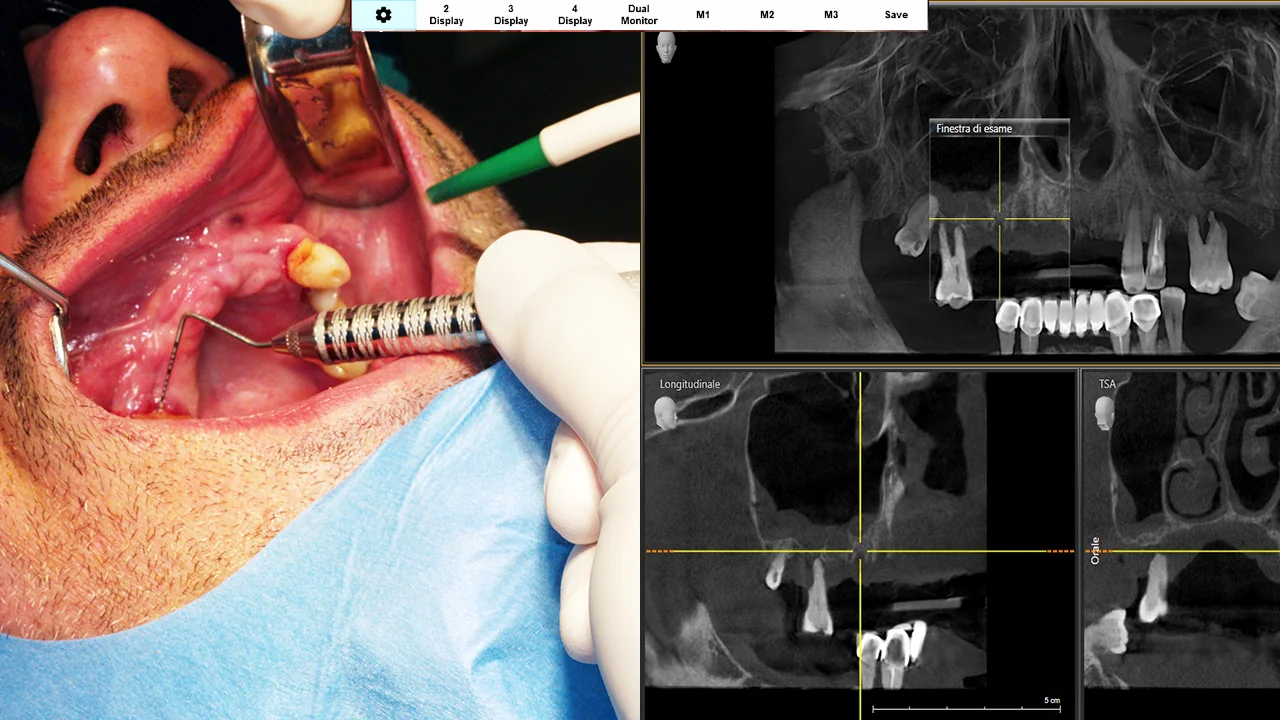
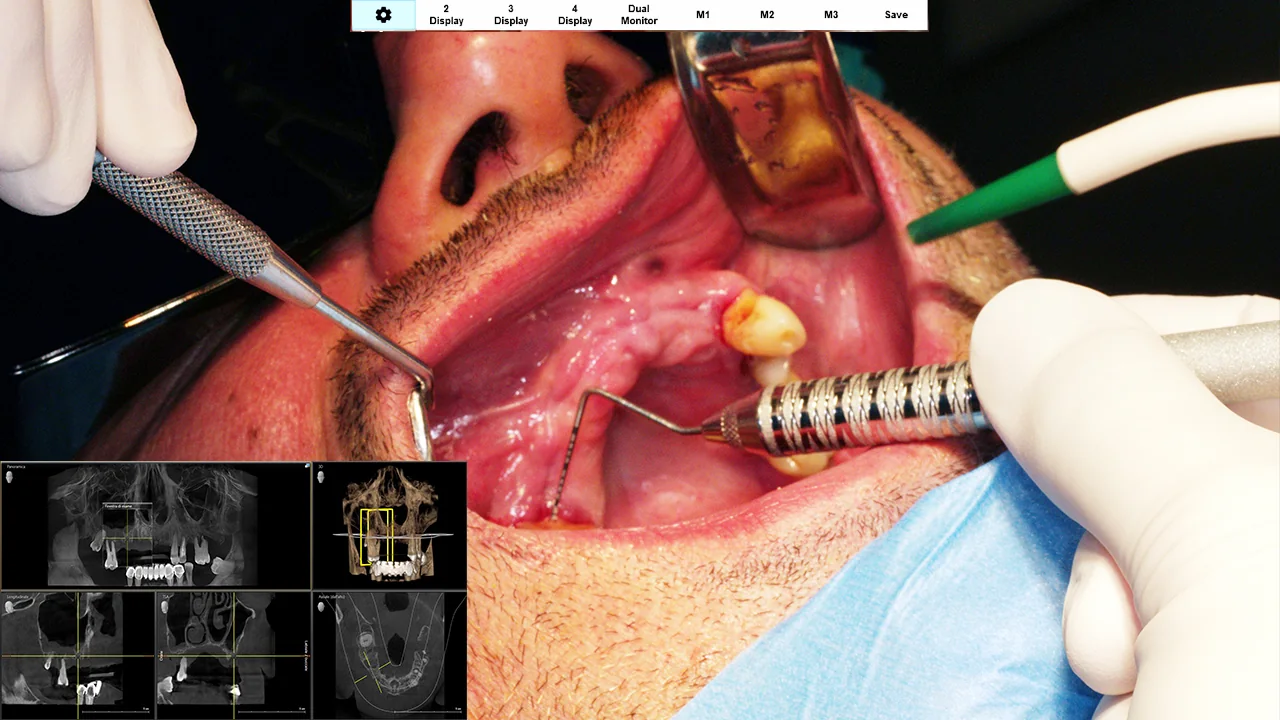
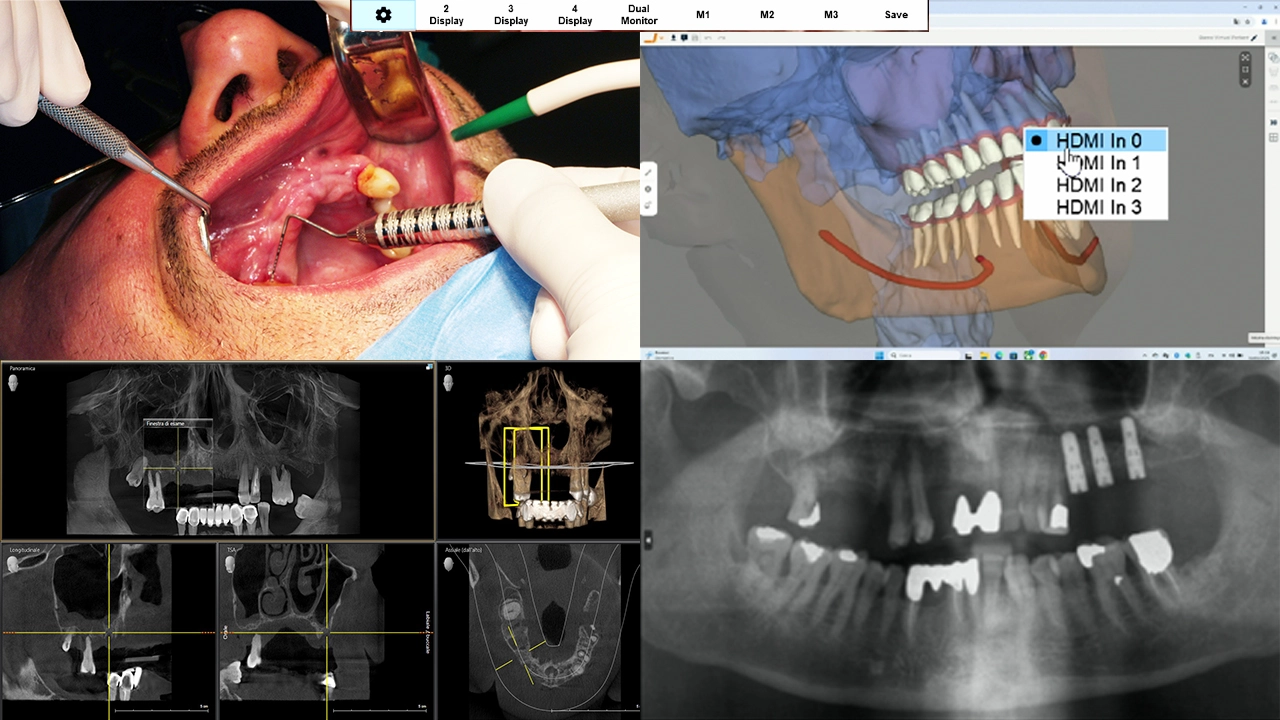
Live video of the operative field can occupy the main window, while radiographic images, CBCT reconstructions and intraoral scans remain available on the same monitor.

With FALKONNECT 3D, you choose which sources to display, move and resize windows, and arrange the viewing area to suit each stage of the procedure.

FALKONNECT 3D, full-screen layout: operative-field video and clinical images
FALKONNECT 3D, side-by-side layout: operative-field video and clinical images
FALKONNECT 3D, Picture-in-Picture layout: operative-field video and clinical images
FALKONNECT 3D, Quad View layout: operative-field video and clinical images
FALKONNECT 3D, freeform layout: operative-field video and clinical images
Full screen

Full screen

One video source fills the screen when you need to focus on the main image.

Three saved layouts, ready when you need them. Save your most-used configurations and recall them with M1, M2 and M3, without rearranging the windows each time.

Multi-PC control

ONE MOUSE, UP TO FOUR COMPUTERS

Radiology software, intraoral scanner applications and surgical planning software can run on separate computers.

Through dedicated USB-B connections, FALKONNECT 3D provides KVM control of up to four connected PCs from a single workstation, using one mouse and keyboard. Three control modes adapt cursor behaviour to different workflows.

One mouse and keyboard
​
FALKONNECT 3DControls the connected PCs from a single workstation
​
​​​​
PC 1HDMI source 1
PC 2HDMI source 2
PC 3HDMI source 3
PC 4HDMI source 4

Single Mouse

A single pointer moves across all windows on the monitors connected to HDMI outputs 1 and 2, controlling the computer associated with the window under the pointer.

Multiple Mouse

Four separate pointers move in parallel within their respective windows. Useful when controlling computers displaying identical content.

Bypass Mouse

When the four-source layout is active, HDMI output 3 can display the source under the pointer in full screen. Alternatively, a fixed source can be selected.

FALKONNECT 3D on-screen menu: selecting an HDMI source with the mouse in a four-window layout
FALKONNECT 3D on-screen menu

Integration with FALKO 3D

CLINICAL IMAGES, DIRECTLY IN THE HEADSET

FALKONNECT 3D works with compatible HDMI monitors and also integrates with the FALKO 3D headset.

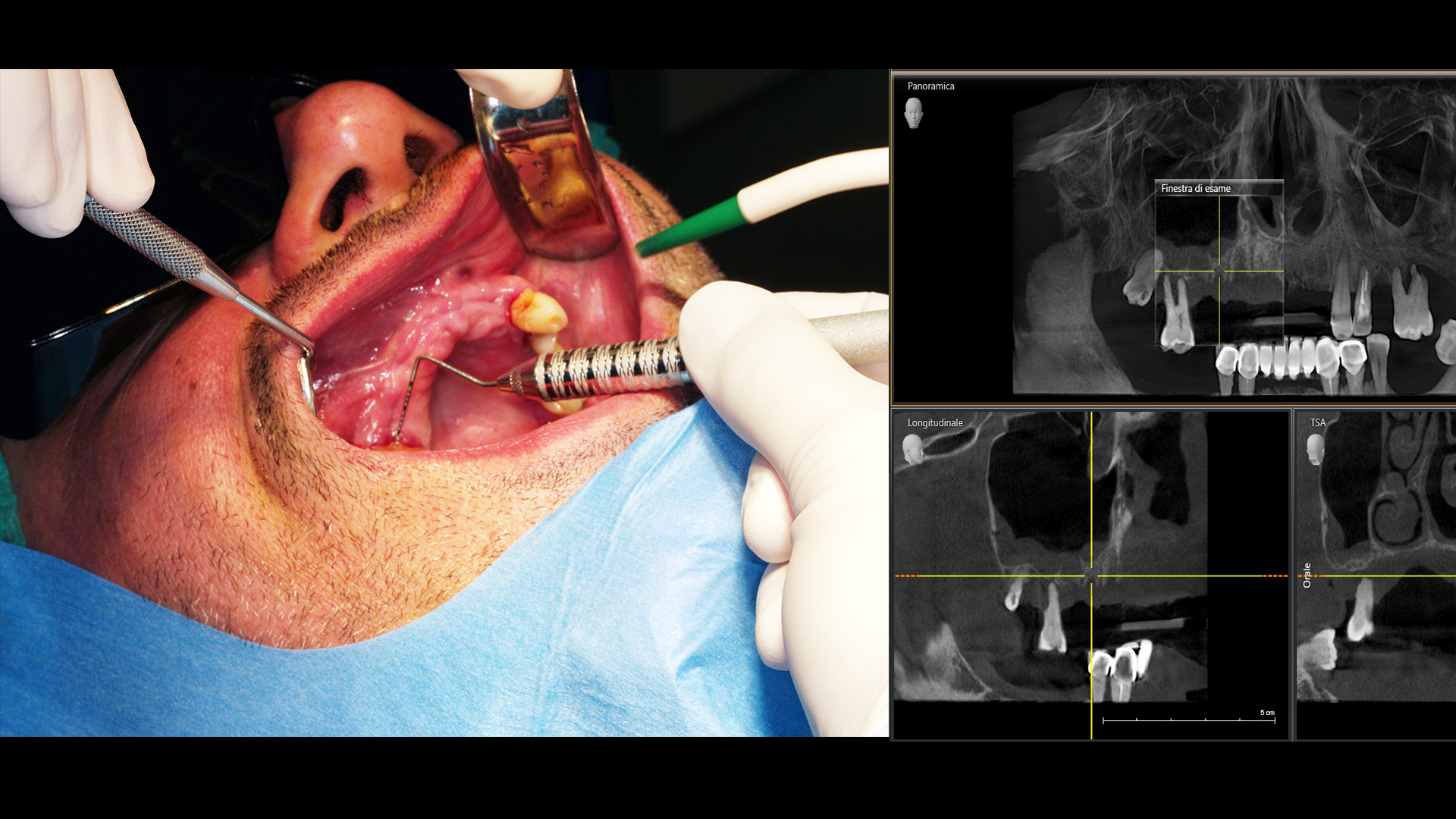
Live video of the operative field, CBCT images, scans and other clinical content can appear directly in front of the clinician’s eyes, arranged in the selected multi-window layout. Images remain available in the headset, reducing the need to turn towards external monitors.

2D and 3D: what you see and where it comes from

2D viewing

Connected HDMI sources can be arranged in single, side-by-side or overlapping windows and viewed in the FALKO 3D headset.

3D Side-by-Side

FALKONNECT 3D supports induced Side-by-Side stereoscopic viewing on HDMI outputs 1 and 2, for compatible 2D video sources.

View in the FALKO 3D headset: operative-field video alongside CBCT images
Clinical scene during the procedure with the FALKO 3D headset
During the procedureIn the headset

Clinical images courtesy of Dr Giacomo Guidi, Pesaro.

Share

RECORD AND SHARE CLINICAL IMAGES

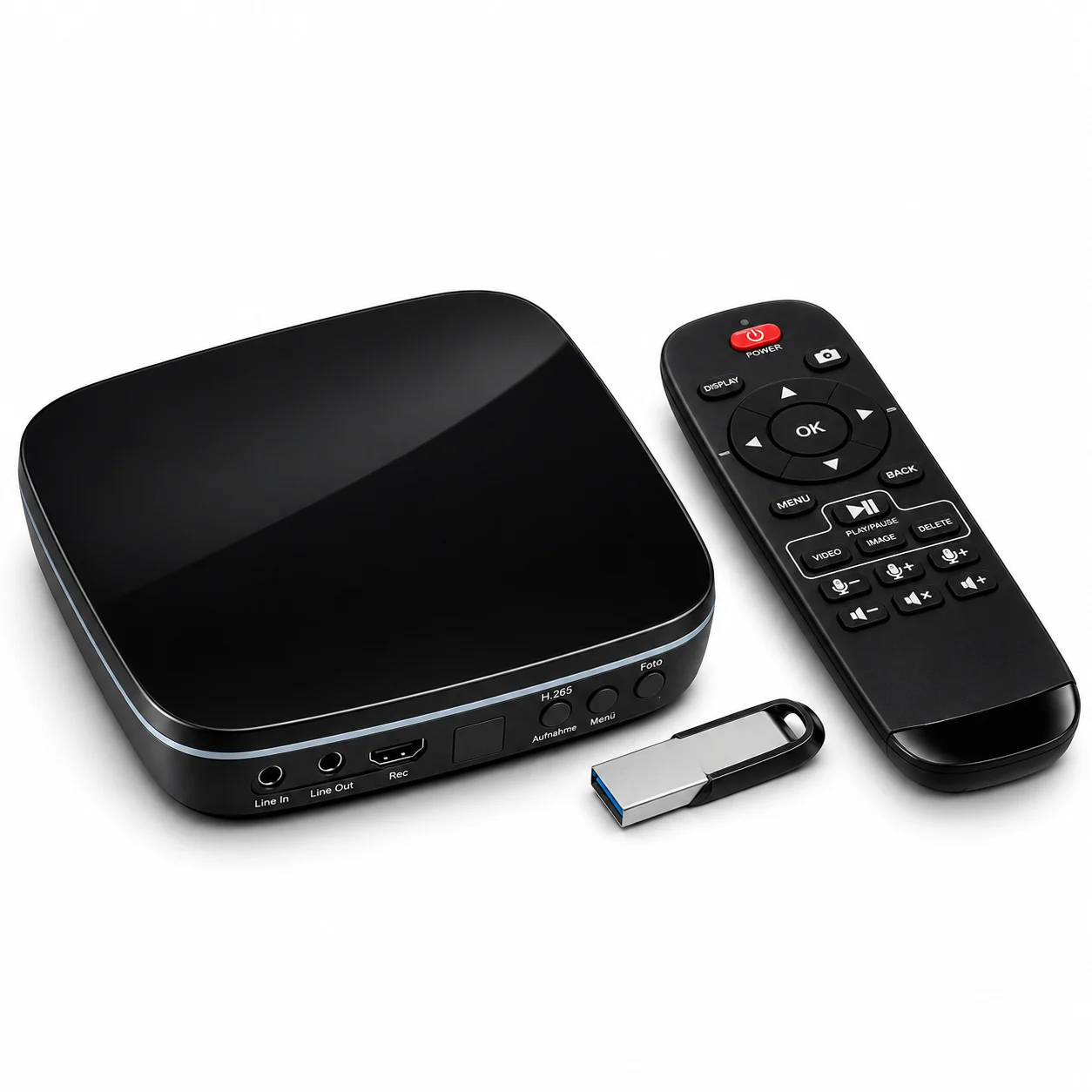
With the optional 4K UHD Video Recorder, FALKONNECT 3D can be integrated into a system for recording and sharing clinical procedures.

The recorder is connected between one of the processor’s HDMI outputs and its corresponding monitor, capturing still images and recording video at up to 4K without interrupting the display.

Its integrated capture card also allows connection to a PC, enabling live video sharing through compatible video-conferencing platforms.

In the practice

Capture images and record procedures for clinical documentation and case review.

Remotely

Share live video with colleagues and specialists using a PC and video-conferencing platforms.

Training

Use live video and recordings for lectures, courses, clinical demonstrations and telementoring.

Recording requires the optional 4K UHD Video Recorder, product code DE6.302XR.4. Online sharing also requires a PC and a compatible platform.

Optional 4K UHD Video Recorder with remote control and USB stick
Optional 4K UHD Video Recorder · DE6.302XR.4

Clinicians

FALKONNECT 3D IN CLINICAL PRACTICE

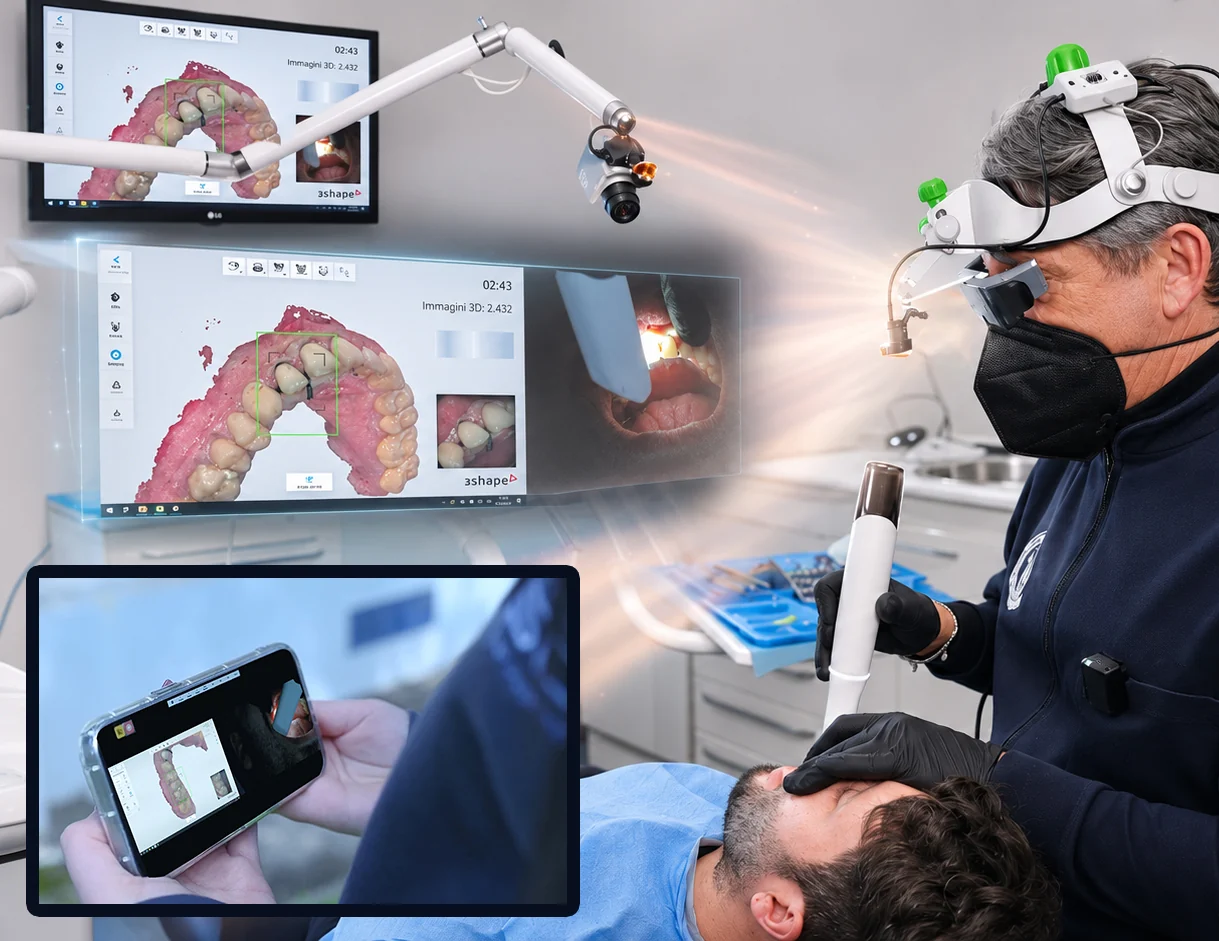
Prof Fernando Zarone, University Federico II, Naples: intraoral scanning with the FALKO 3D headset
Prof Fernando ZaroneUniversity Federico II · Naples
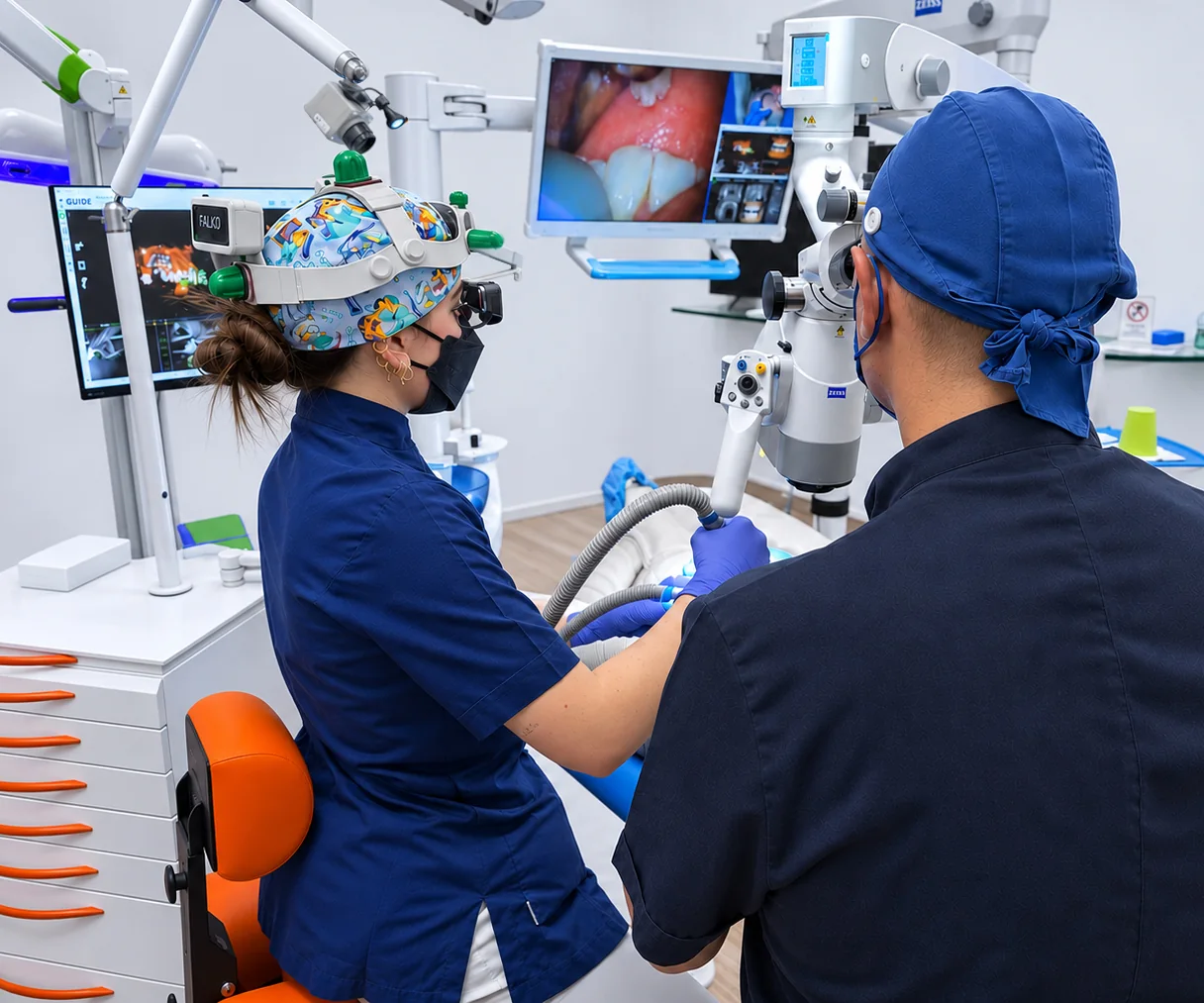
Prof Mauro Rigolone: operating microscope and FALKO headset with FALKONNECT 3D
Prof Mauro RigoloneEndodontics · Vercelli

Technical specifications

SPECIFICATIONS AND DOCUMENTS

Product codeFK701DTR
Video inputs4 × HDMI 2.0
Video outputs3 × HDMI 2.0
Supported resolutions4K at 60 Hz · 4K at 30 Hz · 1080p at 60 Hz
Display modes1 to 4 windows, PiP, side-by-side windows
Layouts3 saved presets (M1/M2/M3) · Dual Monitor
PC control4 USB-B · 2 USB-A for mouse and keyboard
USB output1 USB-A 5 V DC for the FALKO headset receiver
3D viewingInduced Side-by-Side stereoscopy on HDMI outputs 1 and 2
Controls and audioIR remote control · front panel · on-screen menu · 3.5 mm audio jack
Power supply12 V DC – 3.5 A
ComplianceCE – Directives 2014/35/EU, 2014/30/EU, 2011/65/EU · electrical Class II

Frequently asked questions

FAQ

What is FALKONNECT 3D?

It is a multichannel, multi-window video processor that brings together up to four HDMI sources, arranges them in configurable layouts and displays them on monitors or in the FALKO 3D headset. It also provides control of multiple computers from a single workstation.

Does FALKONNECT 3D need to be connected to a computer or the FALKO 3D headset?

No. FALKONNECT 3D handles video signals independently, with no software to install on the processor, and works with compatible HDMI monitors. Computers are only needed when they are the source of clinical content or when additional functions require them.

Which devices can I connect?

Cameras, microscopes and PCs used for CBCT imaging, radiology, intraoral scanning or surgical planning, provided they have an HDMI video output compatible with the system.

Can I control multiple computers with one mouse?

Yes. FALKONNECT 3D controls up to four PCs through USB-B connections using a single mouse and keyboard. Single Mouse, Multiple Mouse and Bypass Mouse modes adapt control to different set-ups.

Can I record procedures and share them remotely?

Yes, with the optional 4K UHD Video Recorder, which captures still images and records video at up to 4K. When connected to a PC, live video can be shared through compatible video-conferencing platforms.

WANT TO FIND OUT MORE OR TRY FALKONNECT 3D?

A Tecnomed Italia Product Specialist will be in touch to give you all the information you need and, if you wish, arrange a demonstration.

FALKO ecosystem

EXPLORE THE OTHER DEVICES

FALKO 3D

FALKO X5

OKKIO

INTERA System

The project, its evolution and awards

© 2026 Tecnomed Italia S.r.l. – Terms of use

Tecnomed Italia s.r.l. Via Salvador Allende n.2, 61040 Castelvecchio di Monte Porzio (PU) Italy · Phone +390721955125 · Share capital €110,000.00 fully paid-up · R.E.A. PU no. 165785 · Company reg. no. PU 02246170415 · Tax code / VAT no. IT02246170415 · Code IT02246170415

Request more information

Fill in the form and your local Tecnomed Italia specialist will be in touch to answer your questions or arrange a demo.